
FAQ
Frequently Asked Questions
Everything you need to know about NexaBots
NexaBots natively supports Salla and Zid with one-click OAuth. Any other store with a REST API can connect via custom configuration.
NexaBots is an AI sales agent, which goes further than a traditional WhatsApp chatbot or auto-reply tool. Instead of canned responses, it understands free-form Arabic and English, searches your live catalog, shows real product cards, completes checkout, and tracks orders. If you were searching for a WhatsApp chatbot, automated customer service, or auto-reply for your Salla or Zid store, this is that, plus the selling part.
No. Customers chat with your existing WhatsApp Business number. Nothing changes on their end.
Yes. The agent handles Arabic and English natively and detects the customer language automatically. You can also set the default language and tone during setup.
You can configure a handoff message. The agent tells the customer a human will follow up and flags the conversation in your dashboard for your team to handle.
Most merchants complete the full setup in under 10 minutes. The guided 6-step wizard walks you through connecting your store, syncing products, and linking WhatsApp.
During onboarding, select Salla as your platform and click "Connect with Salla." You will be redirected to Salla OAuth page to grant permissions. Once approved, your store connects automatically.
NexaBots requests read & write access to products, orders, customers, and webhooks. We create orders on your behalf when a customer checks out, but we never delete your products or existing orders.
After connecting your store, NexaBots automatically indexes all your products including names, descriptions, prices, variants, and stock levels. The sync runs in real time so the AI agent always has the latest information.
In step 5 of the setup wizard, you link your WhatsApp Business Account (WABA) through Meta Business Suite. Then you register and verify your phone number. The AI agent starts receiving messages immediately after verification.
Yes. All sensitive credentials are encrypted at rest using Fernet (AES-128-CBC). Webhook payloads are verified with HMAC-SHA256 signatures. We follow industry best practices for data protection.
Yes. You can disconnect your store or WhatsApp number from the NexaBots dashboard at any time. You can also revoke OAuth access directly from your Salla app settings.
Yes. All plans include a 7-day free trial with full access to all features in your chosen plan. No credit card required to start.
No. NexaBots charges a flat monthly fee. There are no per-message or per-conversation surcharges. WhatsApp Business API conversation fees from Meta still apply as usual.
Yes. You can change your plan at any time from your dashboard. Upgrades take effect immediately and downgrades apply at the next billing cycle.
What does setup look like?
A simple 6-step setup wizard guides you from connection to selling.
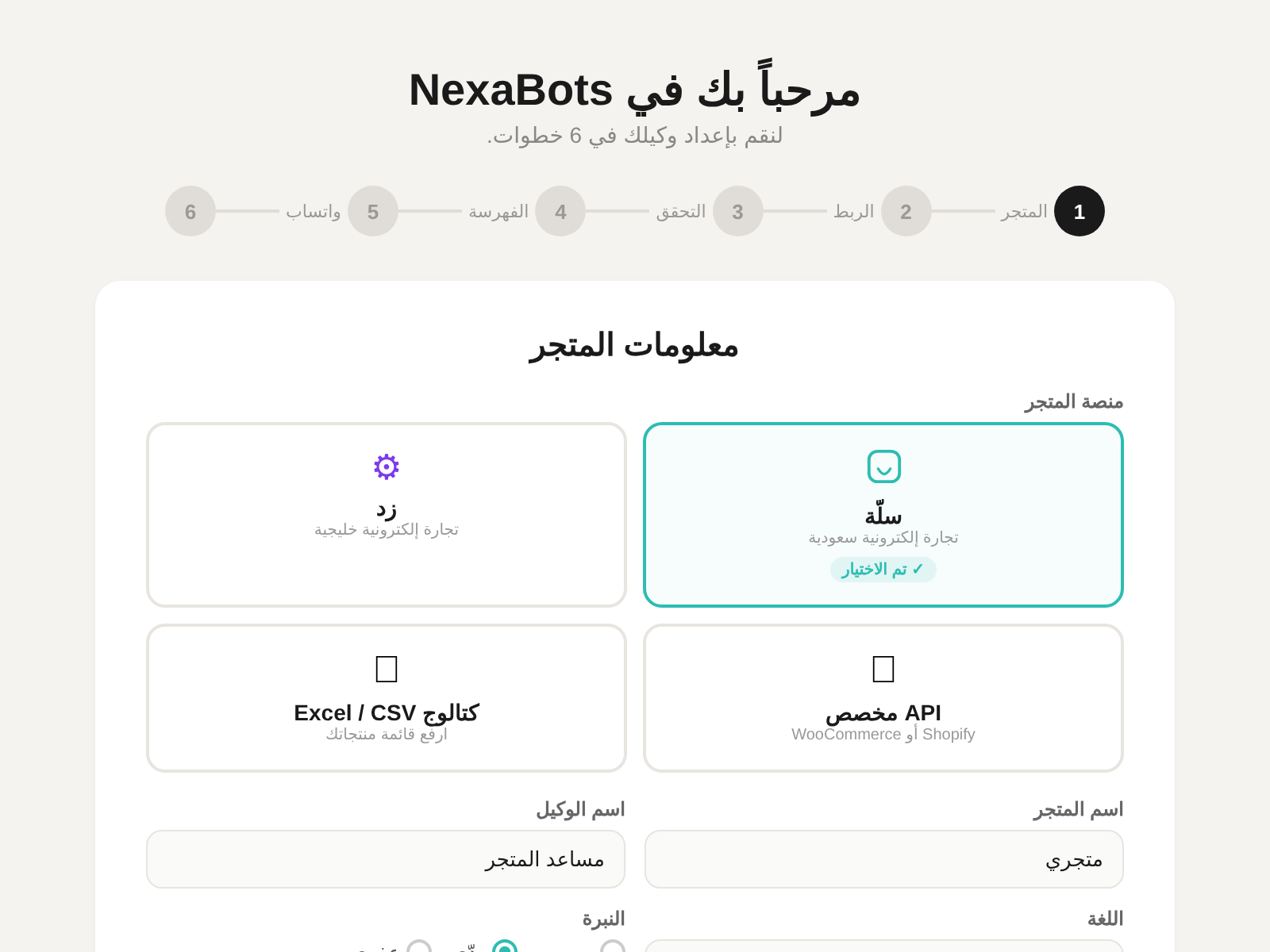
Step 1: Choose your platform and name your AI agent
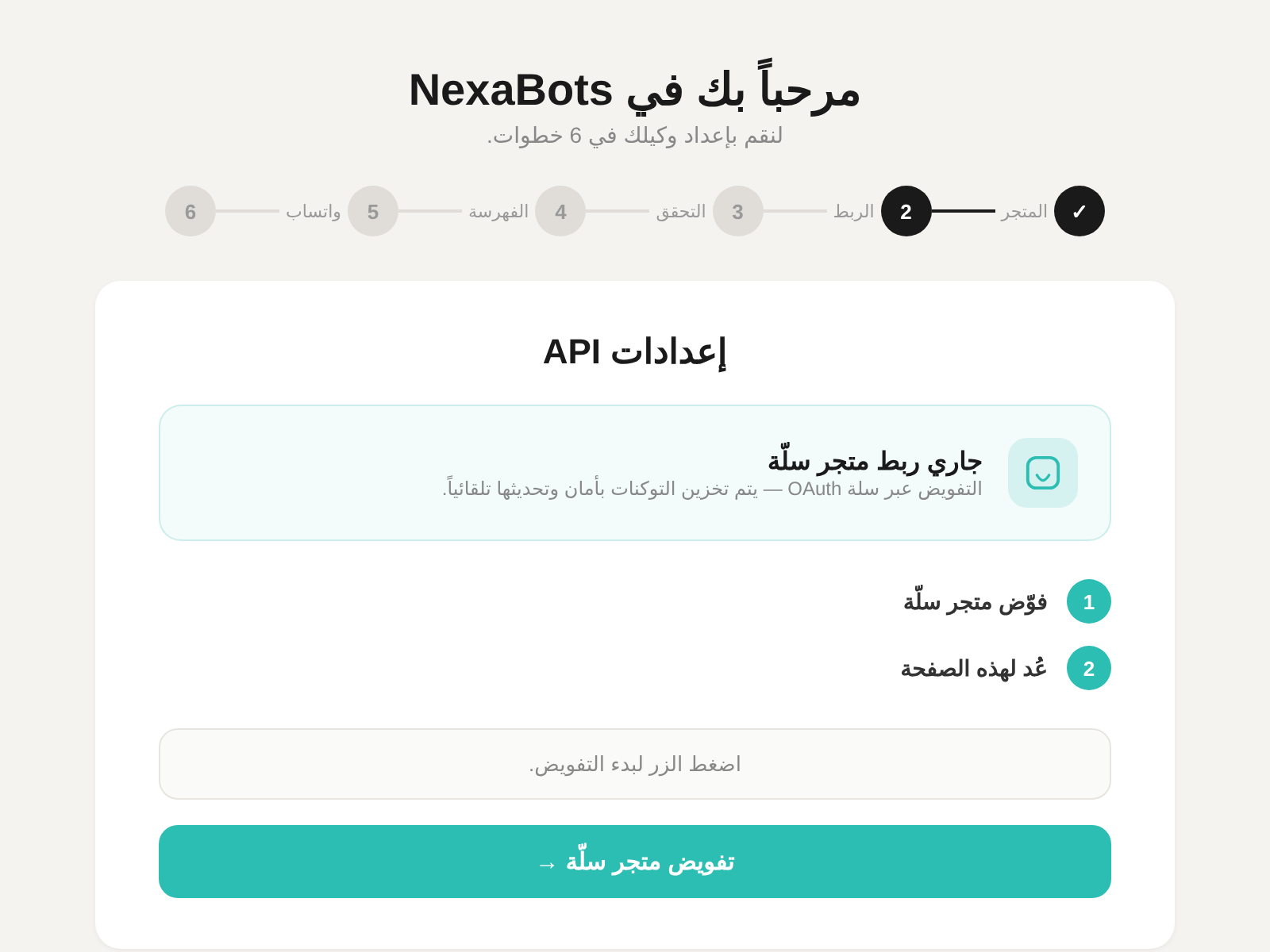
Step 2: Connect your Salla store with one click
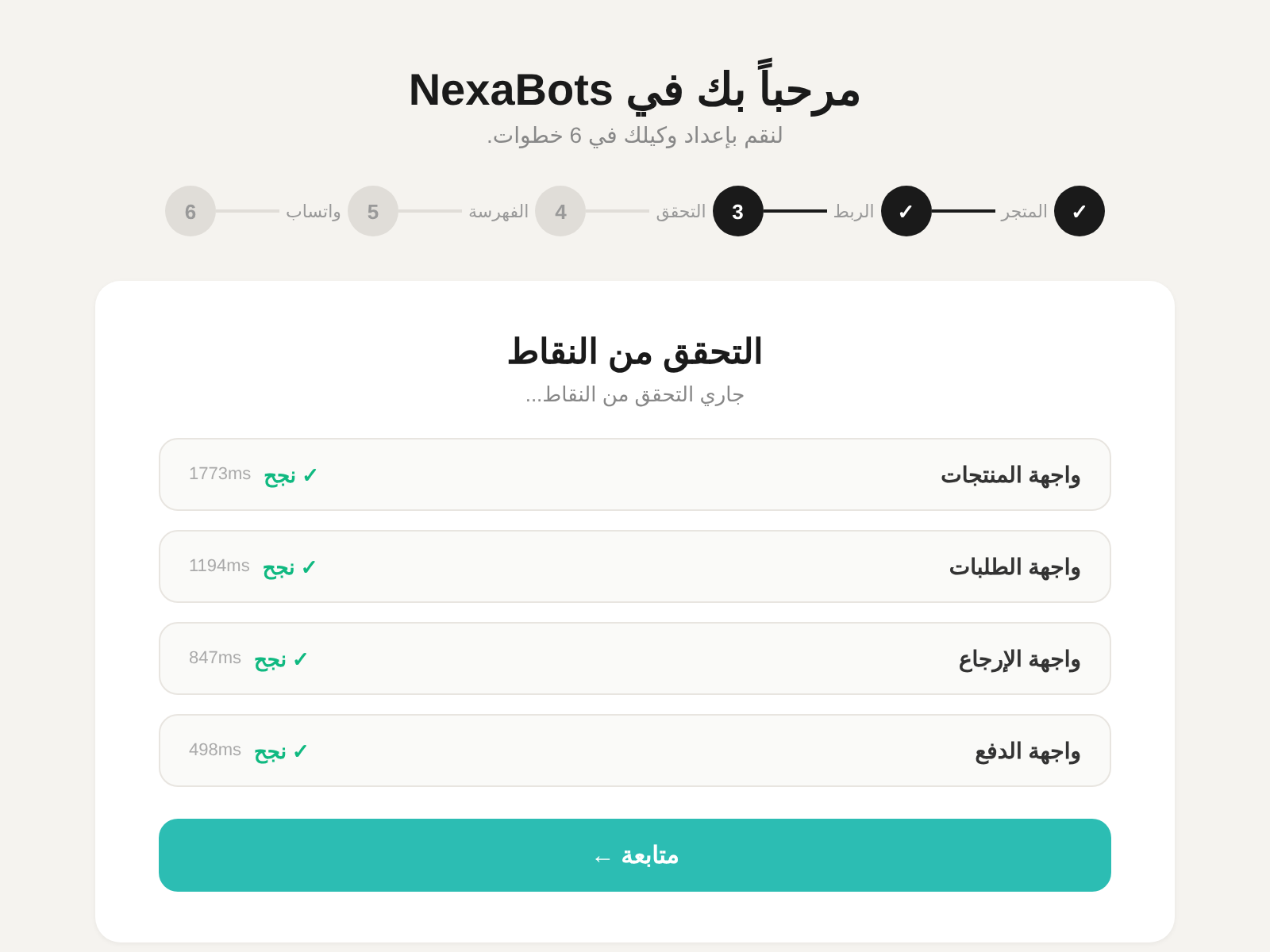
Step 3: Automatic verification of all API endpoints
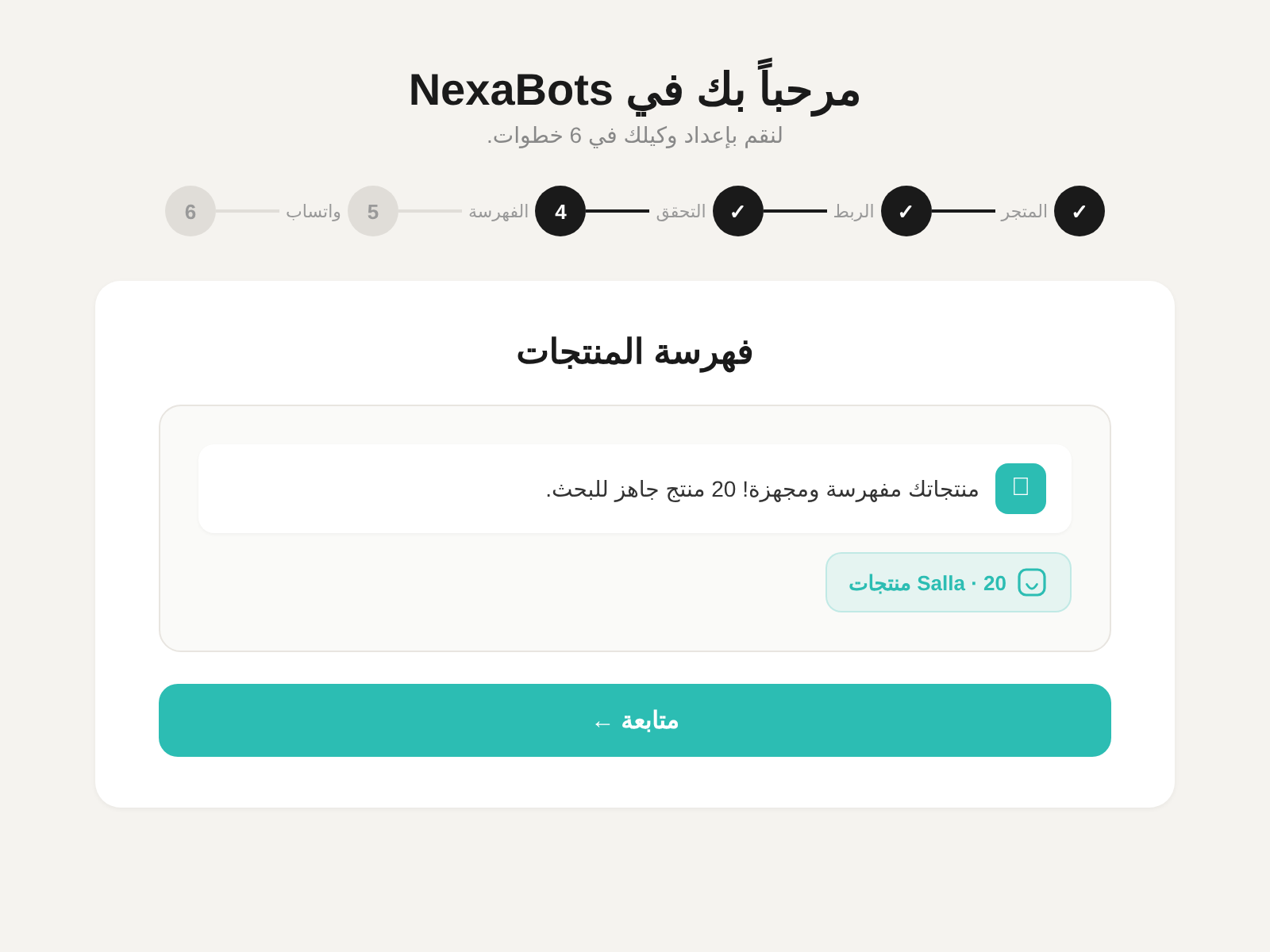
Step 4: Your products are indexed automatically
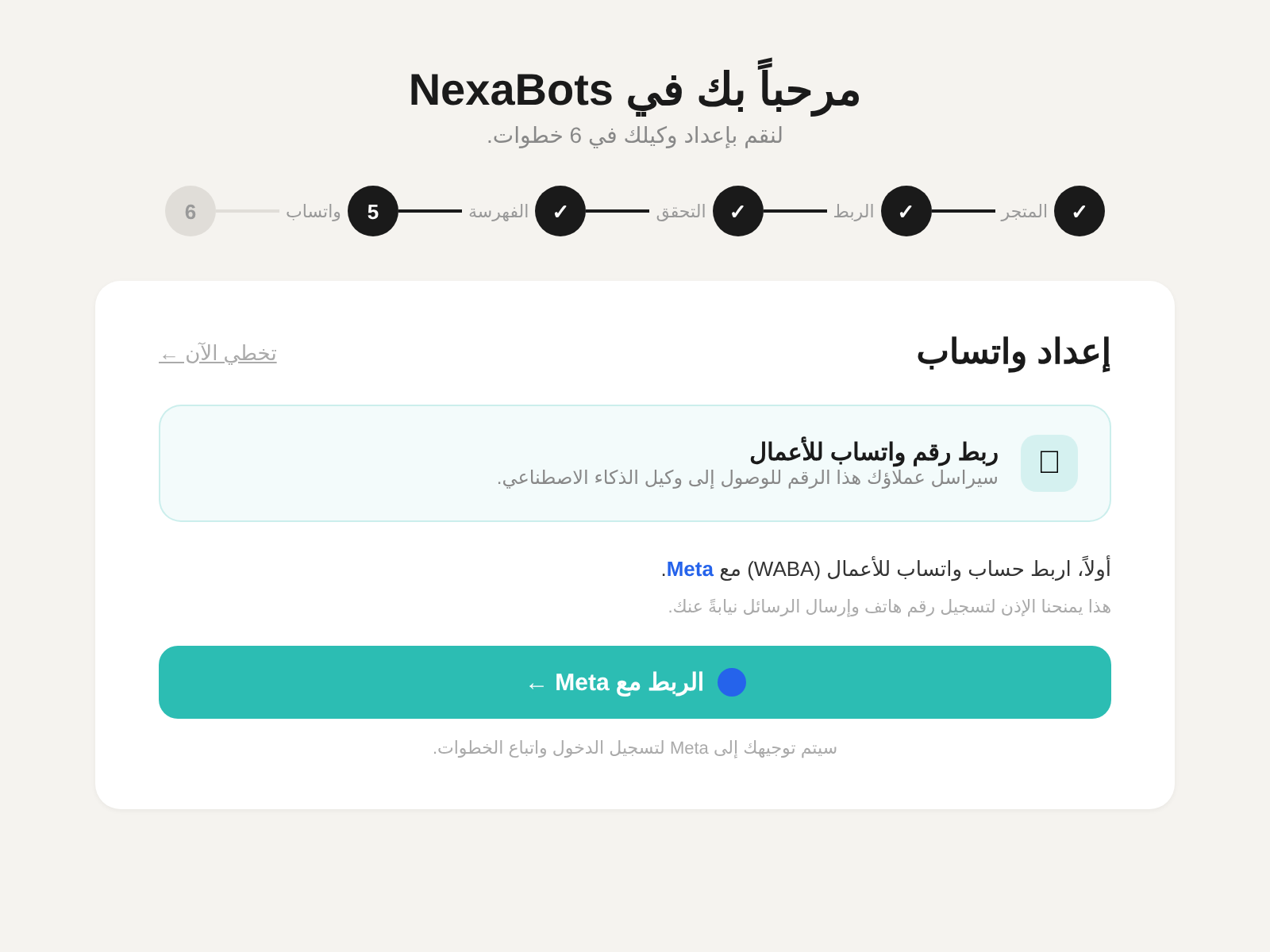
Step 5: Link your WhatsApp Business number
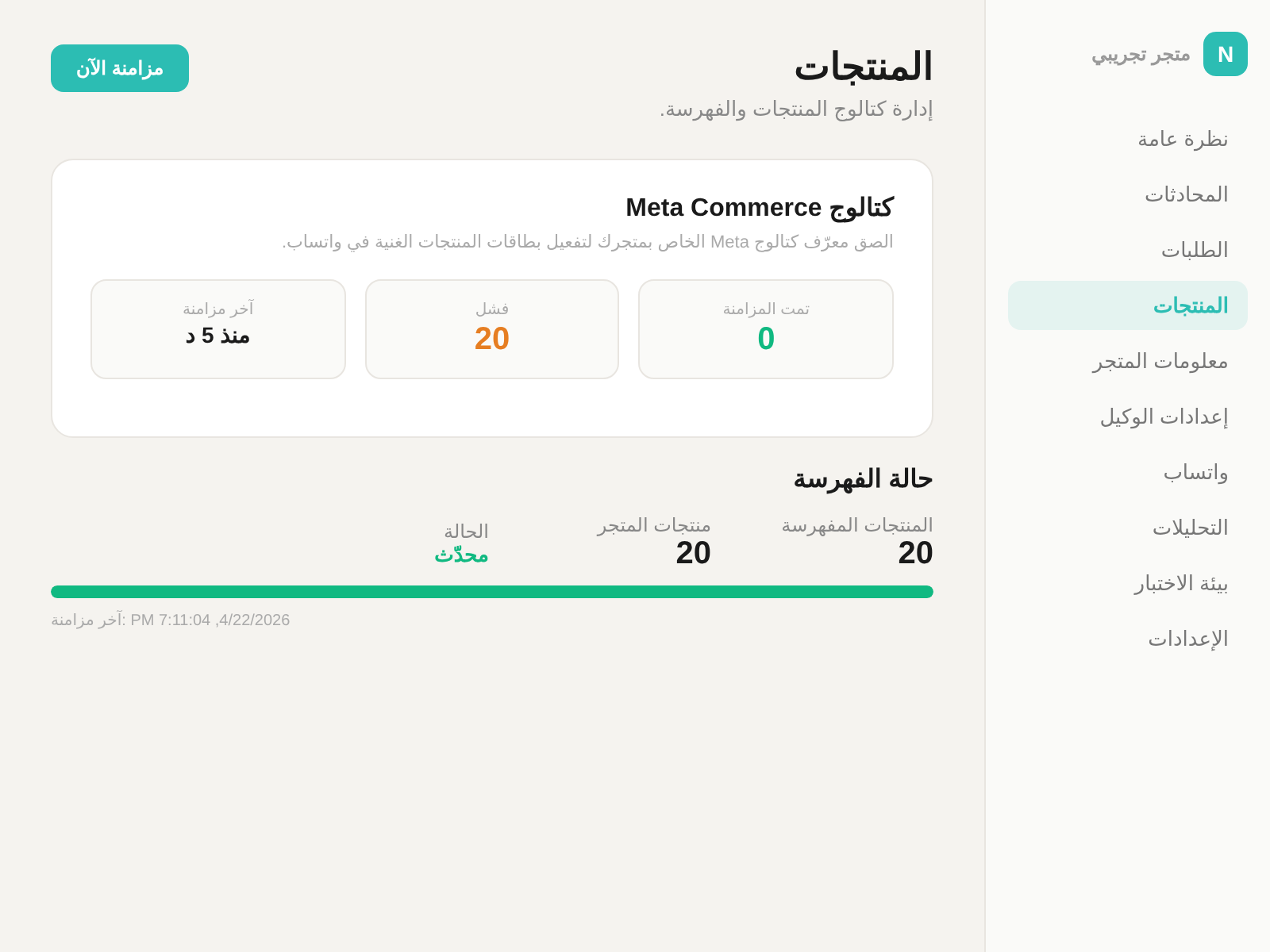
Dashboard: Manage products and sync status